AndroidPure
  • Leaks
  • News
  • Reviews
  • Updates
  • How to
No Result
View All Result
  • Leaks
  • News
  • Reviews
  • Updates
  • How to
  • Leaks
  • News
  • Reviews
  • Updates
  • How to
No Result
View All Result
AndroidPure
No Result
View All Result

Chrome 157 Fixes an Exploited Zero-Day: Update Chrome on Android Now

News Desk by News Desk
November 10, 2026
in Apps, News

Google has fixed a Chrome security flaw that it says attackers are already exploiting. The fix for CVE-2026-125350 arrives in Chrome 157. On Android, the patched build is version 157.0.8103.50. It reaches phones through Google Play over the next few days, so check your version and update manually rather than waiting.

Google Chrome logo above desktop and phone Chrome windows, illustrating the Chrome 157 security update
Image: Google

What Google has disclosed about the Chrome 157 zero-day

The exploited bug is a use-after-free flaw in Chrome’s XML handling, and Google rates it High severity. It was reported anonymously on November 6. Google shipped the fix on November 9, three days later.

Google’s desktop release notes confirm the attacks in a single line:

“Google is aware that an exploit for CVE-2026-125350 exists in the wild.”

That is as far as Google goes. It keeps bug details restricted until most users have the fix. Google has not said who was targeted, how the attack worked or which platform it hit.

Google says its Android releases carry the same security fixes as the matching desktop builds unless it notes otherwise. The Android release notes mention only stability and performance improvements. Google’s cross-reference to the desktop fixes is what covers the security side.

How to check and update Chrome on Android

Because the Play Store rollout is staged, your phone may not have Chrome 157 yet. Here is how to check, using Google’s own steps.

  1. Open Chrome, tap More at the top right, then go to Settings > About Chrome.
  2. Check the version number. If it reads 157.0.8103.50 or later, you have the fix.
  3. If it is older, open the Play Store app and tap your profile icon at the top right.
  4. Tap Manage apps & device.
  5. Find Chrome under Updates available and tap Update.

If Chrome is not in the updates list, the new build has not reached your phone yet. Check again over the next few days.

The staged rollout is the weak spot here. Google is spreading the fix for an actively exploited flaw over several days. Some phones will stay on the vulnerable build in the meantime. Checking manually is the fastest way to close that gap.

The other fixes in Chrome 157

Chrome 157 fixes nine security bugs in total. Google’s list rates seven of them High severity and two Medium. Beyond the exploited flaw, the notable ones are:

  • CVE-2026-125346: a second use-after-free bug in XML
  • CVE-2026-125344: a type confusion bug in V8, Chrome’s JavaScript engine
  • CVE-2026-125348: an out-of-bounds write in the GPU component
  • CVE-2026-125343: a buffer overflow in Compositing

Hong Kong’s computer emergency response centre, HKCERT, rates the bulletin as extremely high risk because of the in-the-wild exploit. It lists denial of service, remote code execution and security restriction bypass as possible impacts.

On desktop, the same fixes ship in 157.0.8103.50/.51 for Windows and Mac and 157.0.8103.50 for Linux. Google says that rollout runs over the coming days and weeks.

Outdated Chrome builds have caused trouble on phones before. Last week we covered how old Chrome on unpatched Snapdragon phones let attackers steal logins, a separate exploit. While you are updating, also confirm your phone has the November 2026 Android security patch.

Source: Chrome Releases (desktop), Chrome Releases (Android), HKCERT, Google Chrome Help
Related Posts

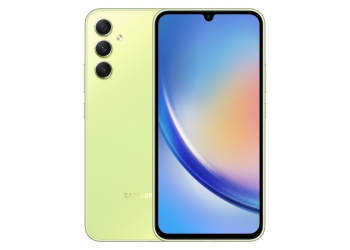
Samsung Galaxy A34 5G in Awesome Lime, back with triple camera and front display, now getting One UI 9
News

Galaxy A34 Gets Stable One UI 9: Its Last Major Android Upgrade

November 10, 2026
Fitbit Sense 2 smartwatch with a pale blue band showing a clock face with health stats
News

Fitbit Will Block New Third-Party Watch Faces and Apps From Nov 28

November 10, 2026
iOS 27 icon surrounded by an iPhone, iPad, MacBook, Apple Watch and Vision Pro
News

iOS 27.2.1 Patches an iMessage Group Chat Flaw and Bluetooth Bugs

November 10, 2026
Google Gemini spark icon and wordmark, for the Gemini Memory summary
Apps

Gemini’s Memory Summary Lets You See and Delete What It Knows

November 10, 2026
Apple Logic Pro running on a MacBook Pro and an iPad, the first app to sell intelligence usage packs
Apps

Apple Now Charges $49.99 for Extra AI Use in Creator Studio

November 10, 2026
Android phone being plugged into a USB-C cable for wired Android Auto in a car
Apps

Android Auto Drops Android 9 and 10: Wired Use Now Needs Android 11

November 9, 2026

Follow Us

  • 914 Followers
No Result
View All Result

Popular

  • Google Play logo, the store where hidden nudify apps were found

    Hundreds of AI Apps on Google Play and App Store Hid Nudify Tools

    Share
    Share Tweet
  • WhatsApp Message Text Actions Roll Out: Tap a Number, Date or Address

    Share
    Share Tweet
  • One UI 9 Puts a Google Search Bar on the Galaxy Home Screen by Default

    Share
    Share Tweet
  • Pixel Owners Are Still Waiting on Google’s November 2026 Update

    Share
    Share Tweet
  • A Copycat WhatsApp Listing on Google Play Has Passed 500K Downloads

    Share
    Share Tweet
  • Motorola Signature 27 Comes to the US at $1,599.99 on November 26

    Share
    Share Tweet
  • WhatsApp Contacts Tab Hits Android Beta: Communities Move to a Filter

    Share
    Share Tweet

Recent Posts

  • Galaxy A34 Gets Stable One UI 9: Its Last Major Android Upgrade
  • Chrome 157 Fixes an Exploited Zero-Day: Update Chrome on Android Now
  • Fitbit Will Block New Third-Party Watch Faces and Apps From Nov 28
  • Pixel Black Friday Deals Start Nov 19, Mostly at Early-Sale Prices
  • iOS 27.2.1 Patches an iMessage Group Chat Flaw and Bluetooth Bugs
  • Razr Flex Leak: Motorola Support Page Lists It as a 2027 Model
  • Gemini’s Memory Summary Lets You See and Delete What It Knows
AndroidPure

Navigate Site

  • Privacy
  • About Us
  • Tip Us
  • Contact Us

Follow Us

No Result
View All Result
  • Leaks
  • News
  • Reviews
  • Updates
  • How to

This website uses cookies. By continuing to use this website you are giving consent to cookies being used. Visit our Privacy and Cookie Policy.